From idea to live website in minutes - discover how WPebbly makes web creation effortless.

Build a complete, custom WordPress website in minutes—powered by your choices, enhanced by AI.
WPebbly guides you through a simple yet powerful step-by-step creation flow. No coding, no confusion—just clarity, customization, and results.

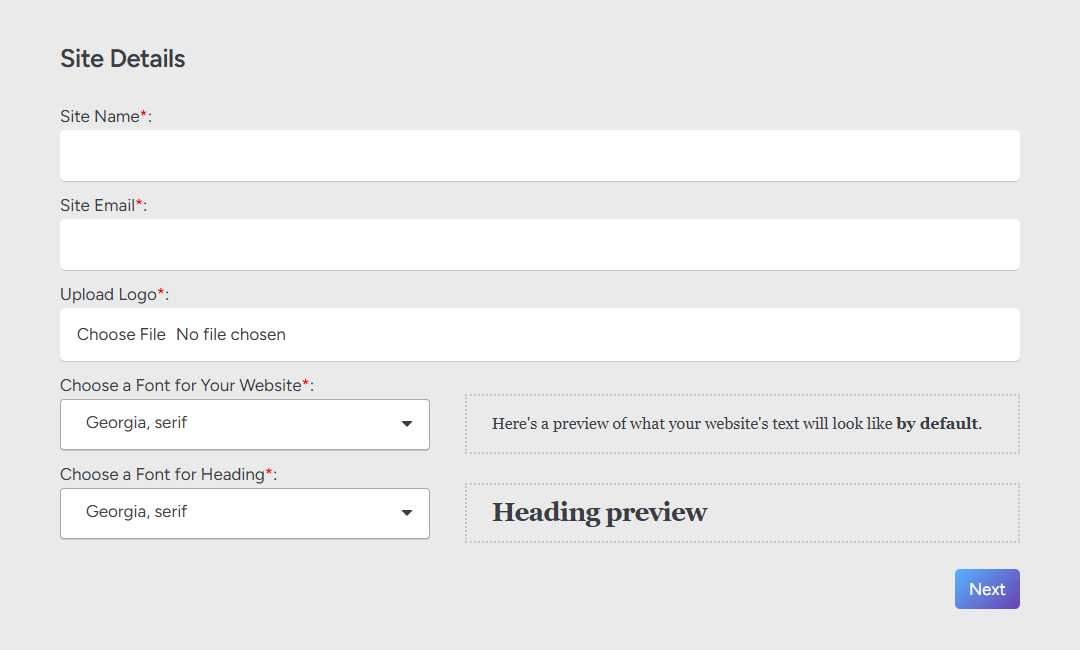
Enter Your Website Details

Start by giving your website its identity.

Website Name – used in titles, SEO, and branding.
Contact Email – where credentials and notifications will be sent.
Upload Logo – retina-ready and auto-optimized.
Select Fonts – pick heading and body font styles from a curated list.

1
1

Enter Your Website Details

Start by giving your website its identity.

Website Name – used in titles, SEO, and branding.
Contact Email – where credentials and notifications will be sent.
Upload Logo – retina-ready and auto-optimized.
Select Fonts – pick heading and body font styles from a curated list.

2

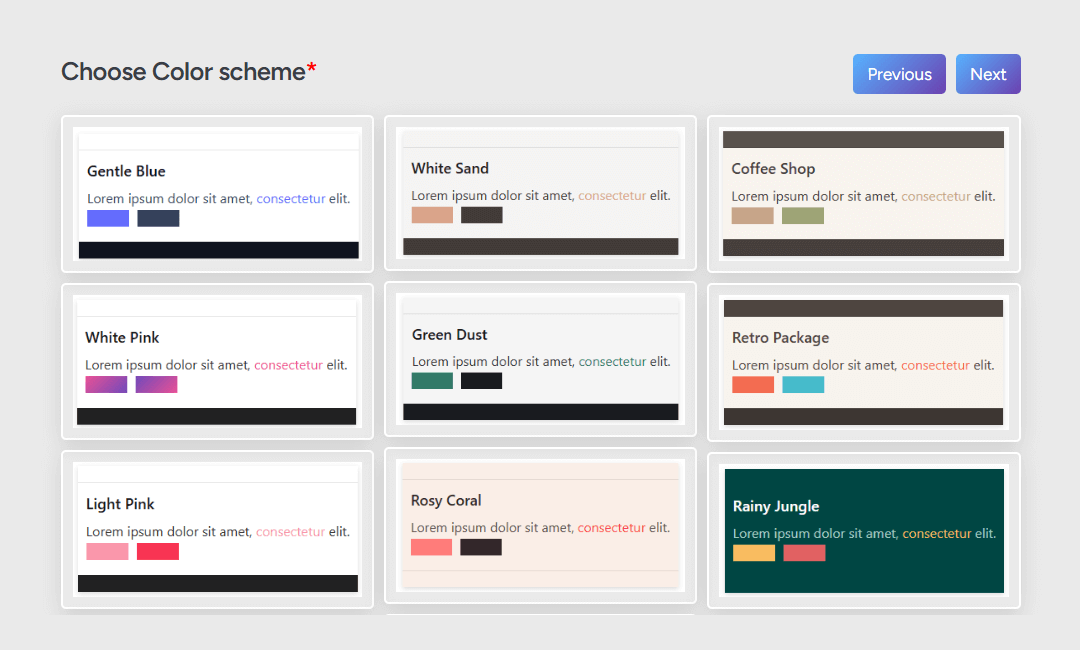
Choose a Color Scheme

Select from professionally designed color palettes.

  • Sets the tone and visual harmony of your entire site.
  • Auto-applied to backgrounds, text, buttons, and sections.
2

Choose a Color Scheme

Select from professionally designed color palettes.

  • Sets the tone and visual harmony of your entire site.
  • Auto-applied to backgrounds, text, buttons, and sections.

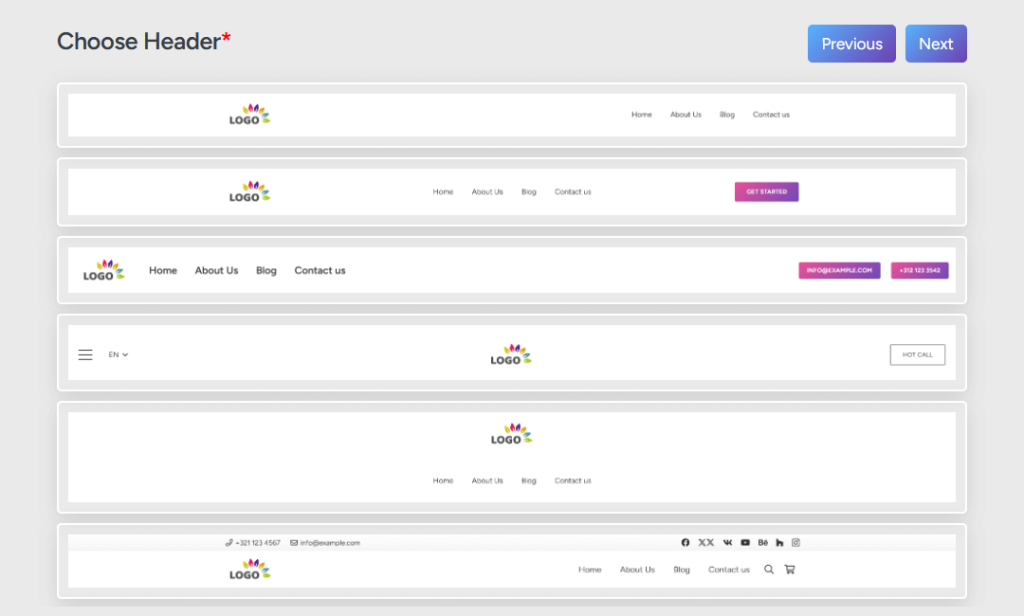
Select a Header Layout

Browse our Header Layout Library and choose a design that fits your brand.

  • Sticky headers, center-aligned, menu with CTA buttons, and more.
  • Automatically wired to your navigation and optimized for all devices.
3
3

Select a Header Layout

Browse our Header Layout Library and choose a design that fits your brand.

  • Sticky headers, center-aligned, menu with CTA buttons, and more.
  • Automatically wired to your navigation and optimized for all devices.
4

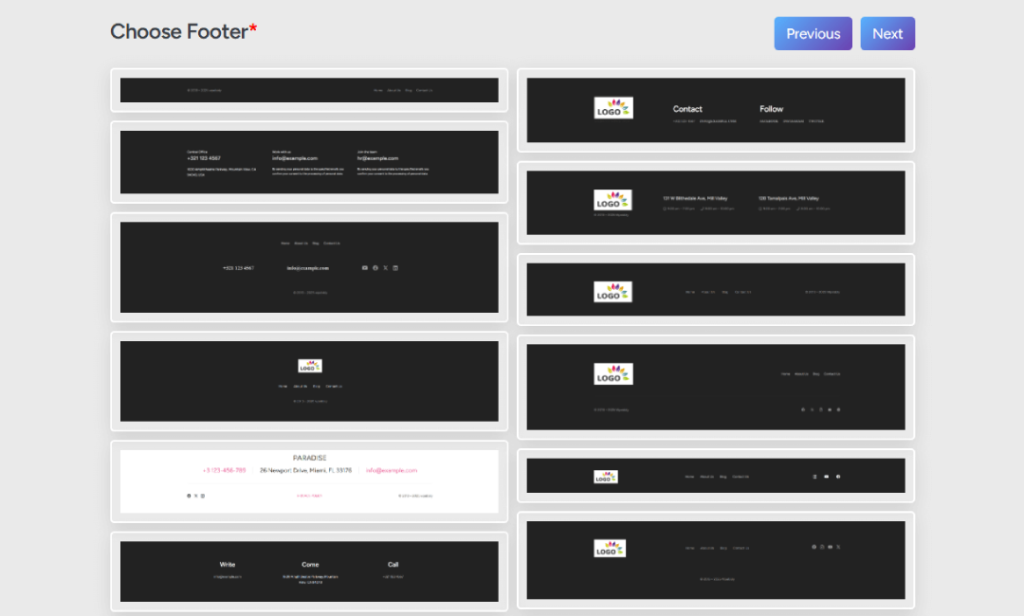
Select a Footer Layout

Choose from a wide range of Footer Layouts.

  • Include newsletter opt-ins, social links, contact info, and legal menus.
  • Fully responsive and easy to customize.
4

Select a Footer Layout

Choose from a wide range of Footer Layouts.

  • Include newsletter opt-ins, social links, contact info, and legal menus.
  • Fully responsive and easy to customize.

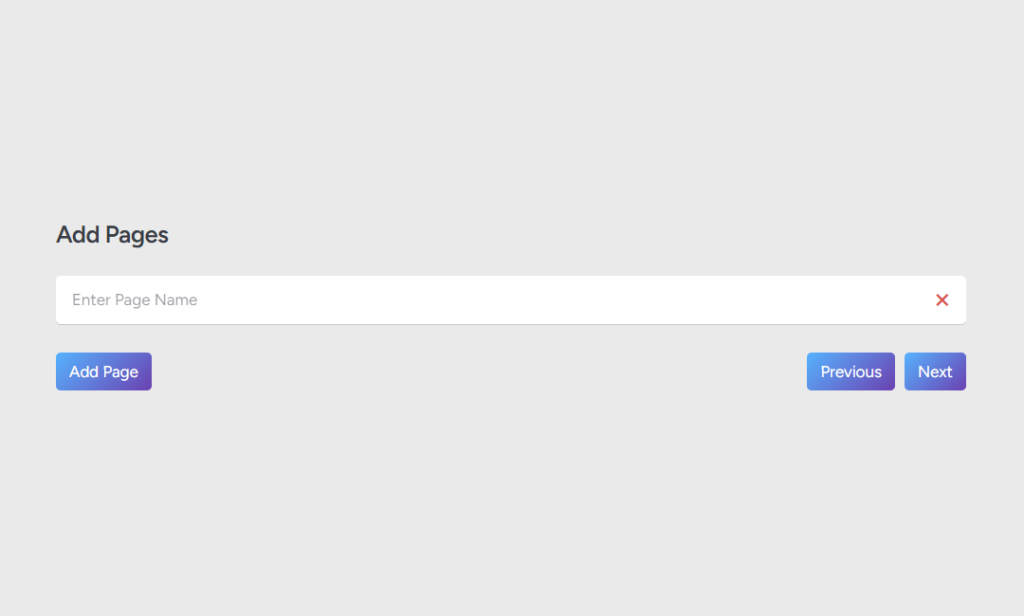
Add Website Pages

Name the pages you want on your site—there’s no limit.

  • Examples: Home, About Us, Services, Contact, Gallery, Our Mission, Pricing, etc.
  • Every page you add is instantly reflected in your main navigation menu.
5
5

Add Website Pages

Name the pages you want on your site—there’s no limit.

  • Examples: Home, About Us, Services, Contact, Gallery, Our Mission, Pricing, etc.
  • Every page you add is instantly reflected in your main navigation menu.
6

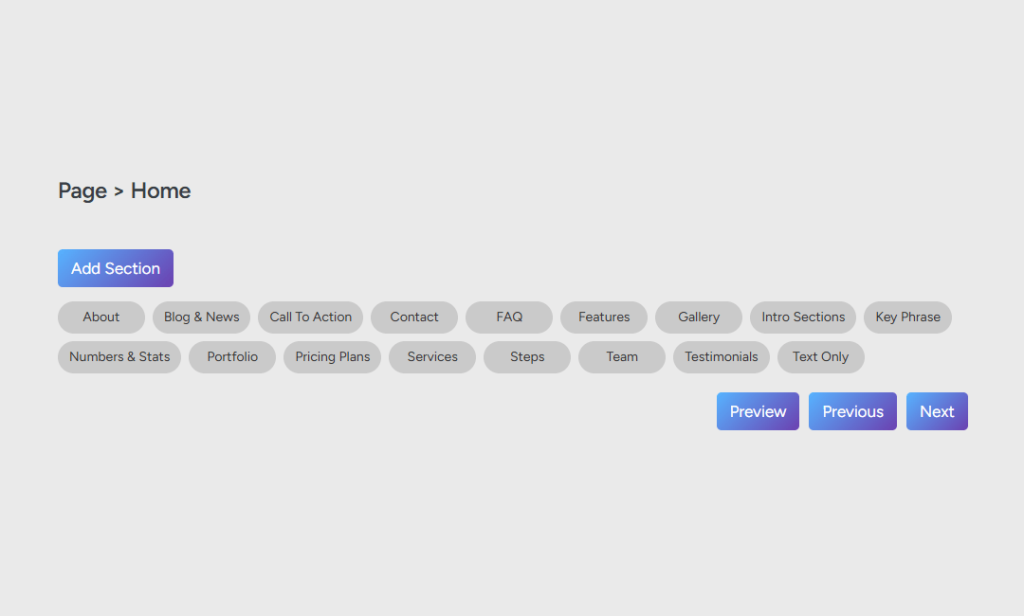
Add Sections to Each Page

Now it’s time to bring each page to life with content blocks.
Choose from a Library of Sections, categorized by purpose:

    • Hero Sections
    • About/Intro
    • Features
    • Team
    • Testimonials
    • Portfolio
    • Contact Forms
    • and more

Add multiple sections per page, in any order.
Each section is fully customizable—change colors, fonts, background, content, and layout.

6

Add Sections to Each Page

Now it’s time to bring each page to life with content blocks.
Choose from a Library of Sections, categorized by purpose:

    • Hero Sections
    • About/Intro
    • Features
    • Team
    • Testimonials
    • Portfolio
    • Contact Forms
    • and more

Add multiple sections per page, in any order.
Each section is fully customizable—change colors, fonts, background, content, and layout.

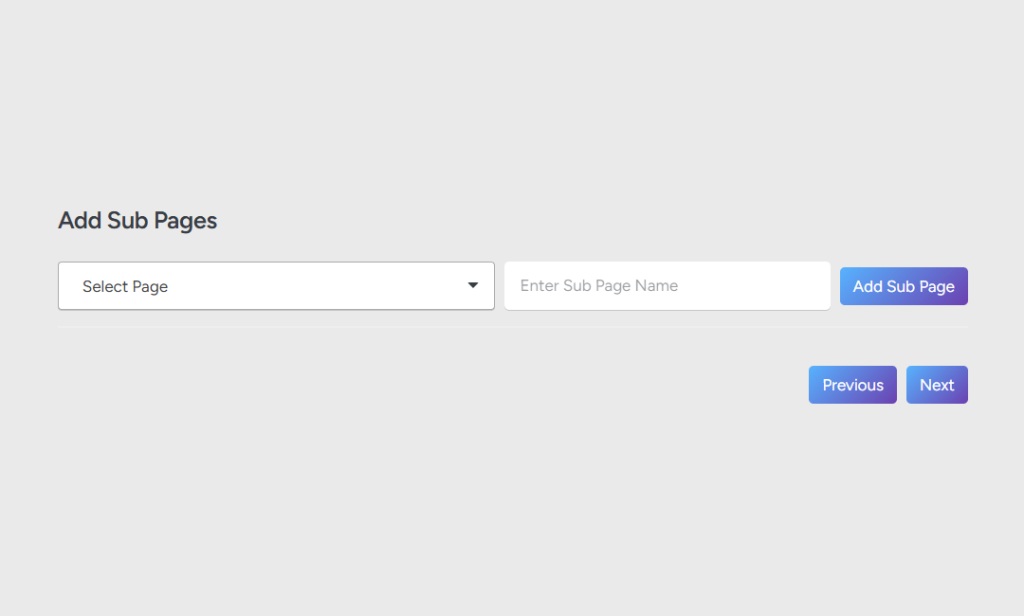
Add Subpages (Optional)

Need nested content? Easily create subpages under any main page.

  • Ideal for case studies, service details, or project categories.
  • Subpages are automatically integrated into the navigation hierarchy.
7
7

Add Subpages (Optional)

Need nested content? Easily create subpages under any main page.

  • Ideal for case studies, service details, or project categories.
  • Subpages are automatically integrated into the navigation hierarchy.
8

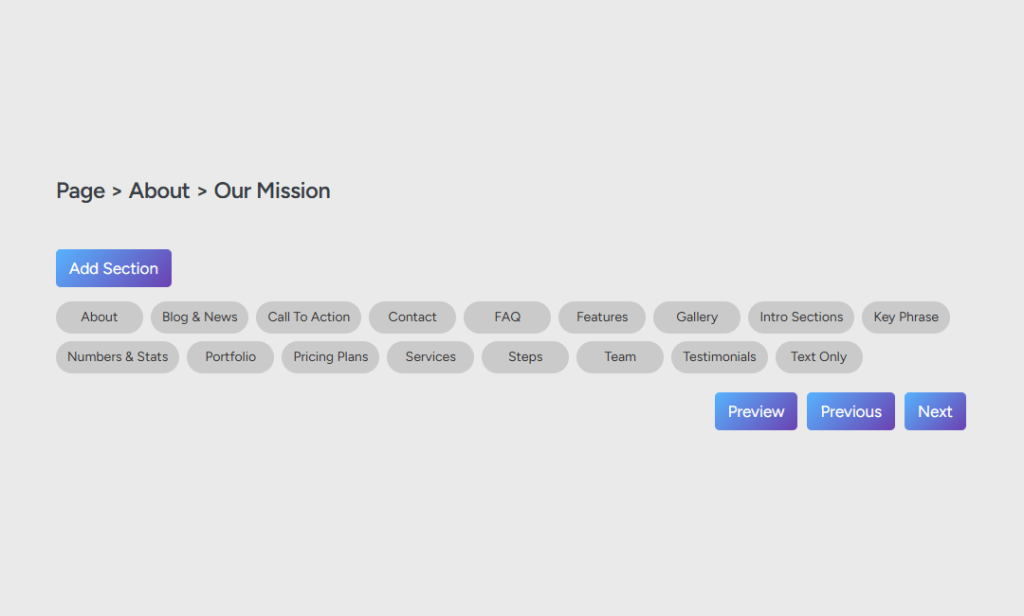
Add Sections to Subpages

Just like with main pages, you can fully design your subpages with section blocks.

  • Maintain design consistency, while customizing per page goal.
  • Instant previews help you fine-tune layout and flow.
8

Add Sections to Subpages

Just like with main pages, you can fully design your subpages with section blocks.

  • Maintain design consistency, while customizing per page goal.
  • Instant previews help you fine-tune layout and flow.

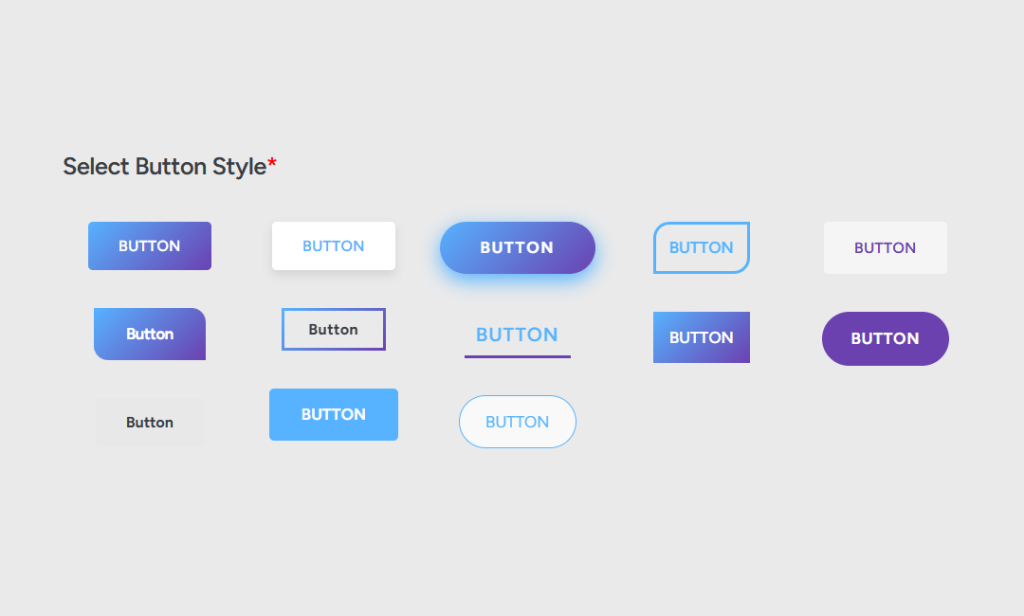
Choose Your Button Style

Pick from our curated Button Style Library.

  • Customize shapes, animations, hover effects, and more.
  • Your choice applies consistently across the website for polished UX.
9
9

Choose Your Button Style

Pick from our curated Button Style Library.

  • Customize shapes, animations, hover effects, and more.
  • Your choice applies consistently across the website for polished UX.

Edit, Save & Preview Anytime

  • Live Section Preview See your changes in real time as you customize each section—no switching tabs or reloading required.
  • Full Page Preview Mode Instantly view how all your selected sections come together as a complete, cohesive website.
  • Manual Save at Any Step Save your progress whenever you want. Your drafts are securely stored in your WPebbly account and can be revisited anytime.

Launch with AI in One Click

Once you’re happy with your structure and styling, click “Create My Website.”
Here’s what happens instantly:
1. WPebbly’s AI compiles all your selections into a working WordPress site.
2. You receive a Temporary URL to preview the full site.
3. Your Editor Credentials are sent to the email you provided—and also shown on your dashboard.

Edit & Export at Your Convenience

  • Use your editor access to modify content, media, or install plugins directly on our server.
  • Once you’re satisfied, click *Export* to download your fully functional, clean-coded WordPress website—ready to host anywhere.

Built for Creators, Agencies & Non-Tech Users

  • AI-assisted workflow without sacrificing creative control
  • Unlimited revisions and saving
  • Fast export to real WordPress
  • No coding required—just smart, guided building

and watch WPebbly turn your vision into a live website—faster than ever imagined.

Everything you need to know before starting your website with WPebbly.

No. WPebbly is built for everyone—no coding or design experience needed. Just follow the guided steps, and our AI takes care of the rest.

Yes. You can preview every section as you build, and after finalizing, you’ll receive a temporary URL to view the full working website.

There’s no limit. You can add as many main pages and subpages as your project needs. Each one can be customized with individual sections.

Absolutely. You can change text, images, colors, fonts, backgrounds, and even button styles within each selected section—live previews included.

You can save your website creation settings manually at any time. Everything is stored securely, and you can return to edit or continue later.

Yes! You can create as many websites as you need. Each one is stored and editable from your WPebbly dashboard.

WPebbly’s AI compiles your setup into a complete WordPress site and gives you:

  • A temporary preview URL
  • Editor login credentials

These details are sent to your email and visible on your WPebbly dashboard.

Your credentials allow you to log into the WordPress backend hosted on our server. From there, you can:

  • Change media or text
  • Adjust layouts
  • Make final tweaks before export

Yes. Once you’re happy with your design, you can download your complete WordPress site package and upload it to any hosting provider.

Yes. Everything—pages, sections, styles, fonts, color scheme, buttons, and structure—is included in the exported files, exactly as previewed.